
This step-by-step guide walks you through exactly how to set up both Immediate Locks and Scheduled Locks in our app.
Note:
❓ Facing issues with Immediate Lock? Please check the FAQ section for common problems and how to fix them.
Ready to take control?
Follow these steps and your digital detox begins today.
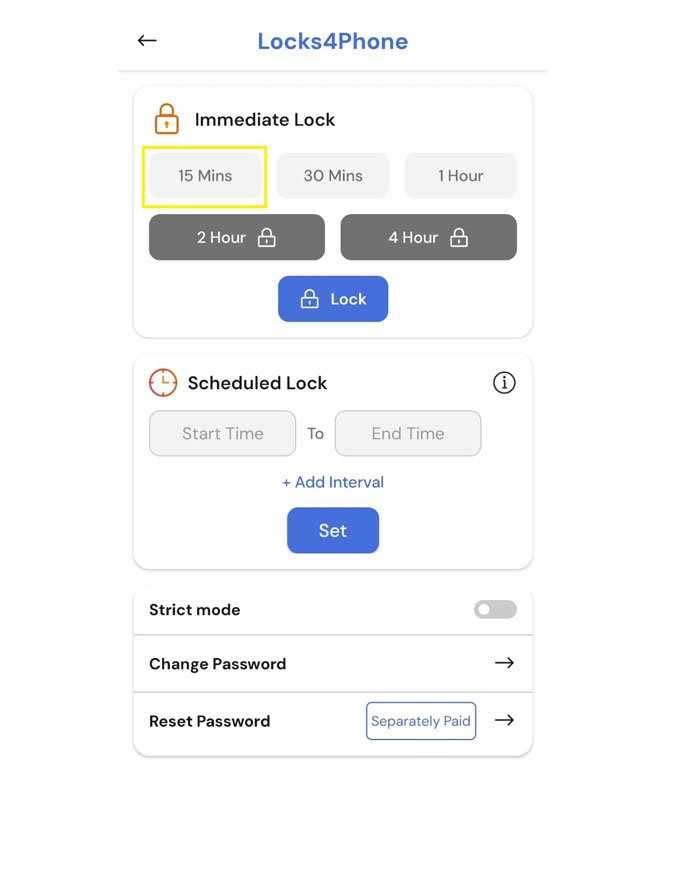
A Step 1 : Press 15min
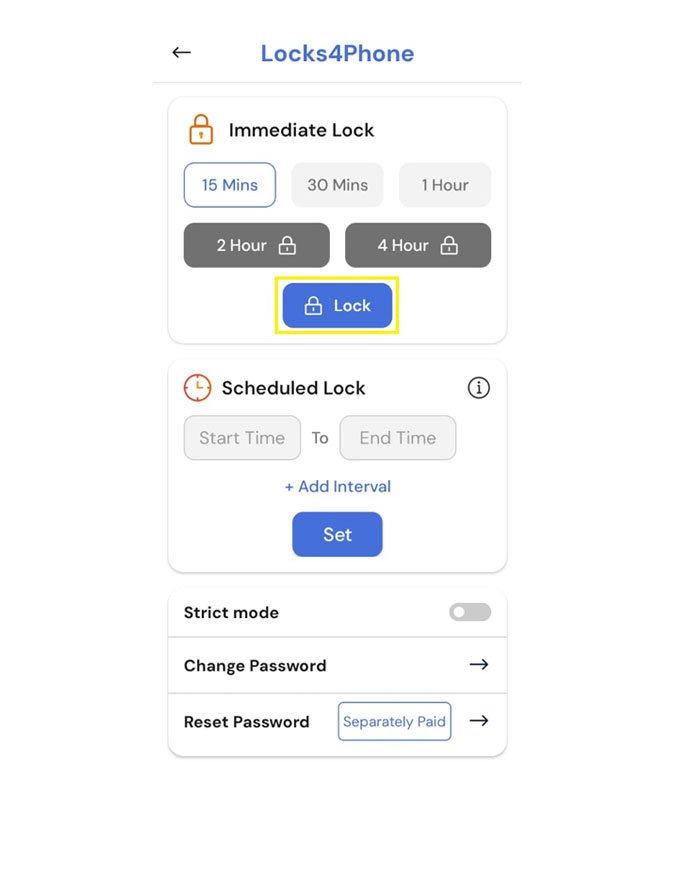
A Step 2 : Press Lock
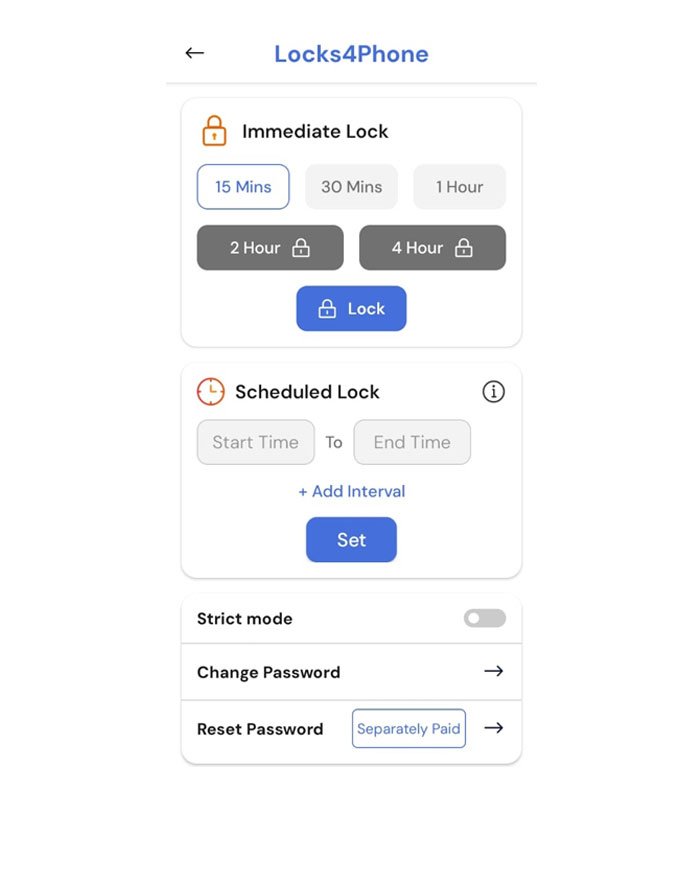
A Step 3 : Wait for 5-10 secs to load ad
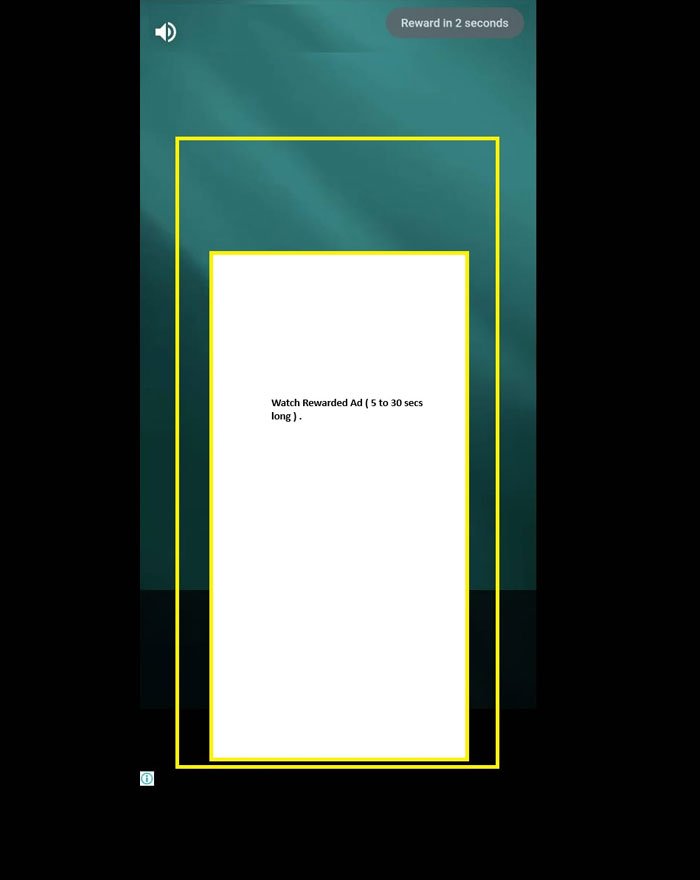
A Step 4 : Watch Rewarded Ad
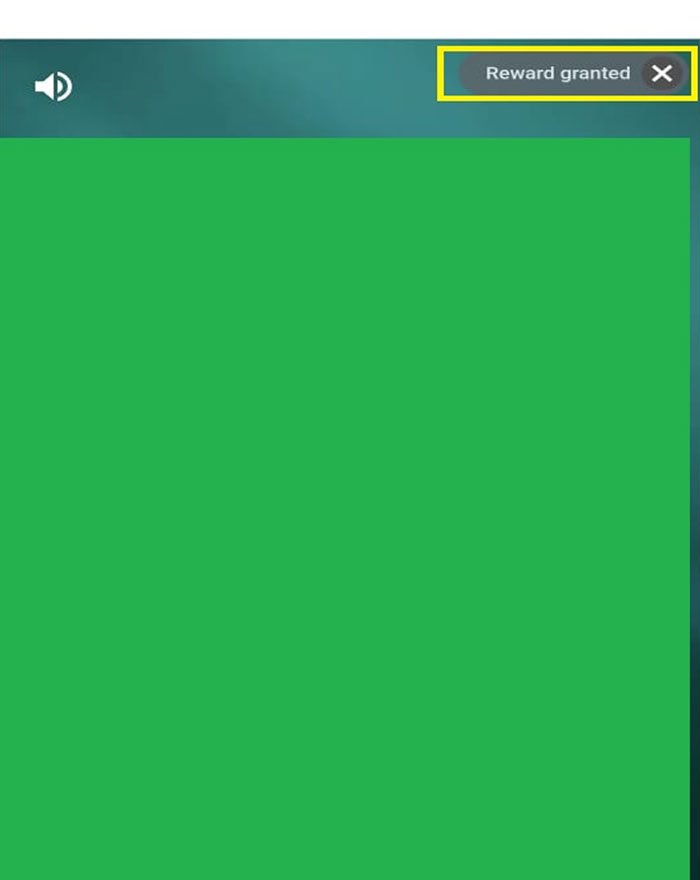
A Step 5 : Close Rewarded ad at top right corner
A Step 6 : In this example, the phone will be locked for 15 minutes.
If you try to open it during this time, it will lock again immediately. You can use your phone as usual only after the 15-minute lock duration is over.
However, you will still be able to receive incoming calls during this period.

All Steps
A Step 1 : Press 15min
A Step 2 : Press Lock
A Step 3 : Wait for 5-10 secs to load ad
A Step 4 : Watch Rewarded Ad
A Step 5 : Close Rewarded ad at top right corner
A Step 6 : In this example, the phone will be locked for 15 minutes. If you try to open it during this time, it will lock again immediately. You can use your phone as usual only after the 15-minute lock duration is over. However, you will still be able to receive incoming calls during this period.
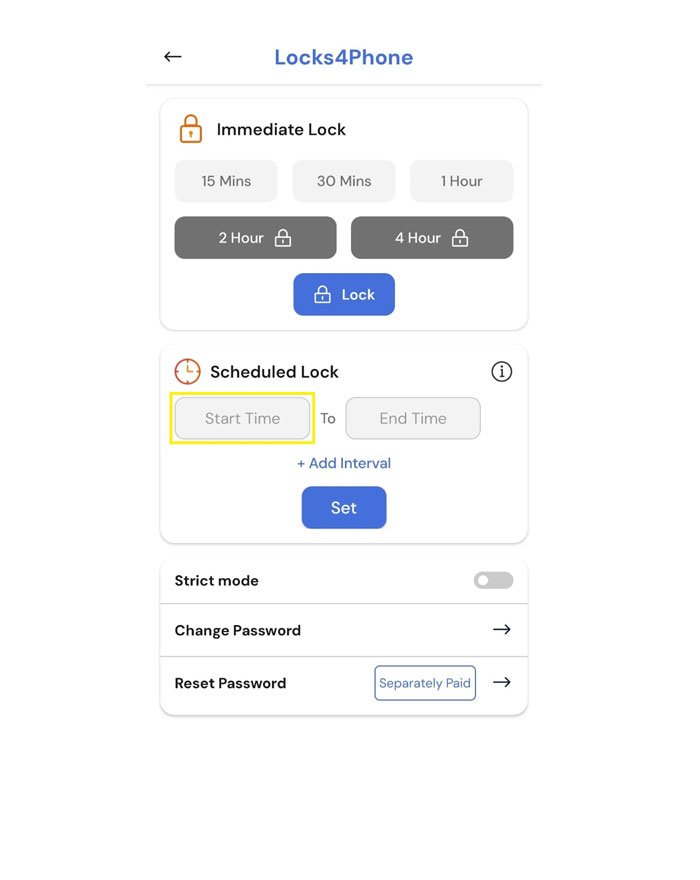
B Step 1 : Click Start Time
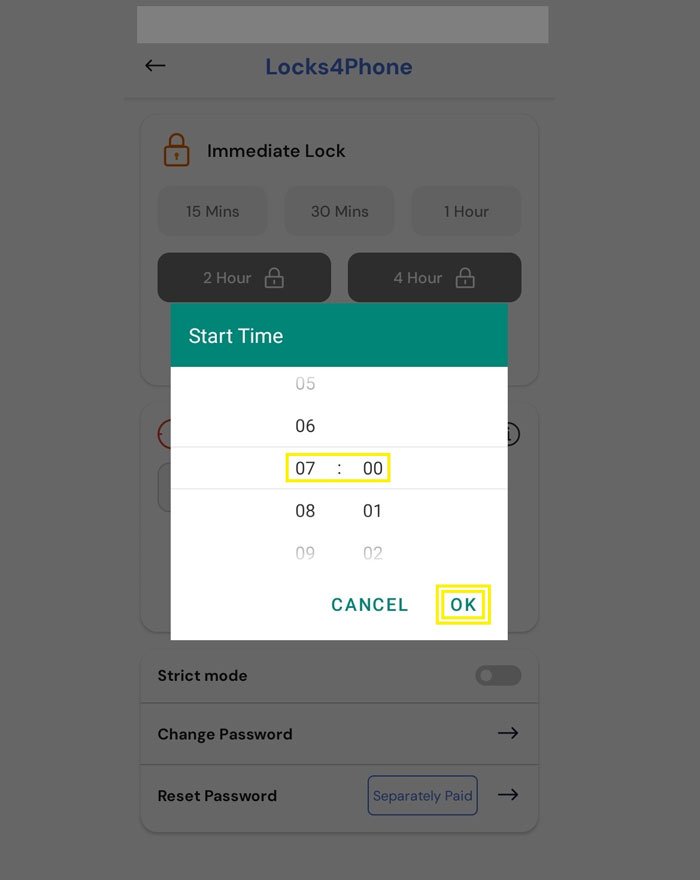
B Step 2 : Scroll up the chart and Set the Start Time. Then click ok
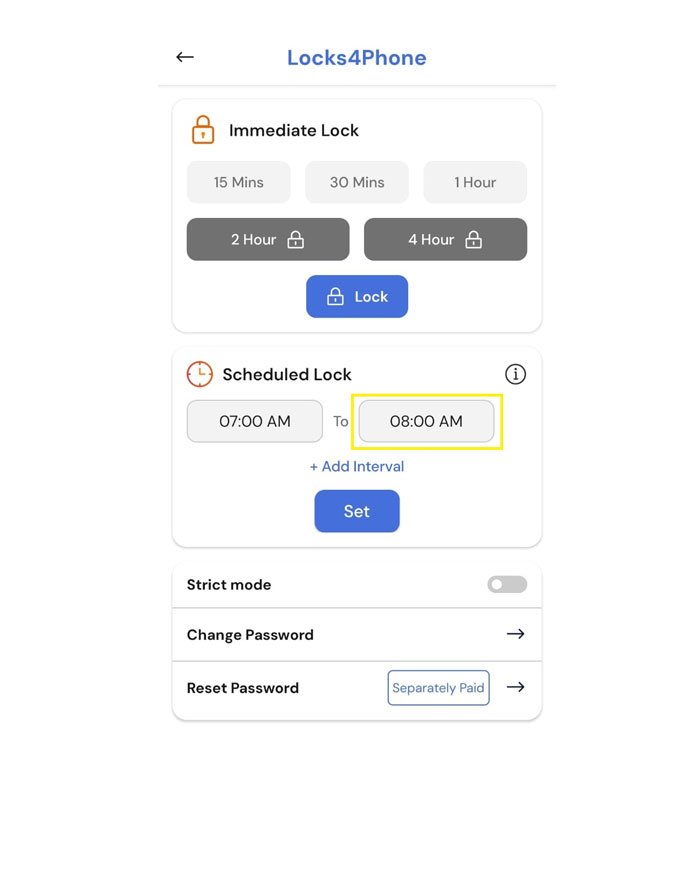
B Step 3 : Select End Time
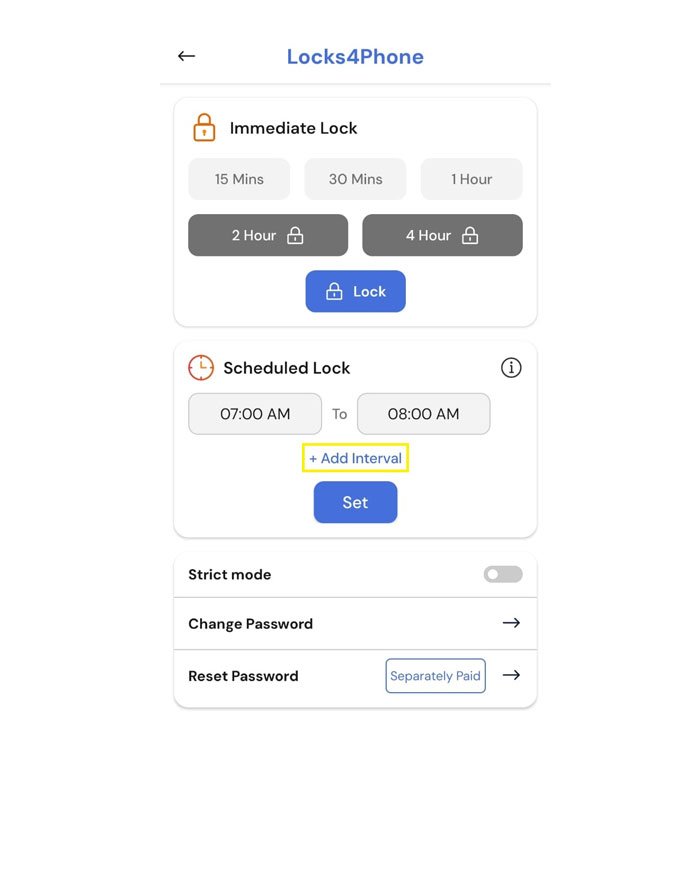
B Step 4 : Click Add Interval
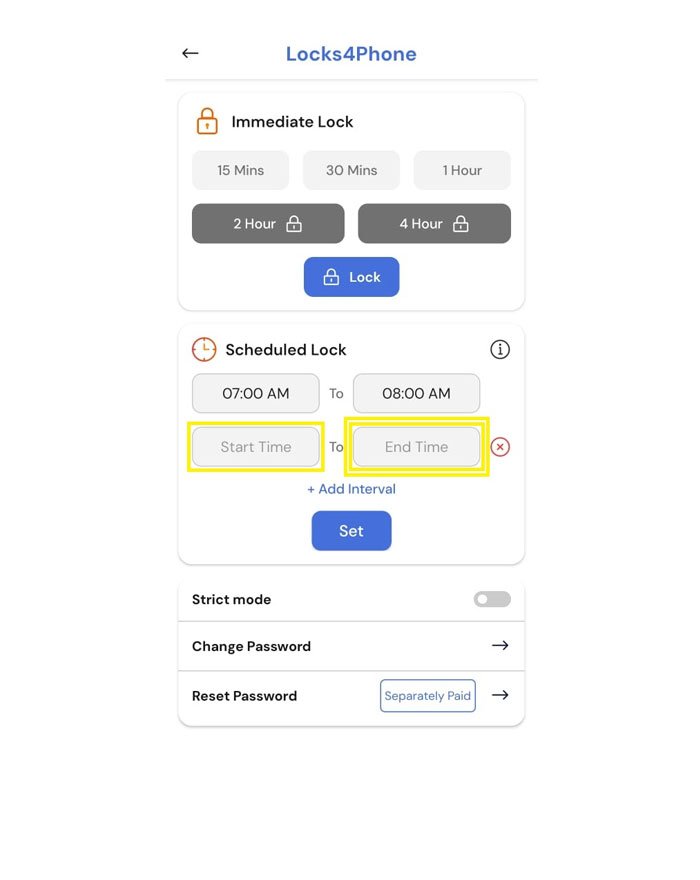
B Step 5 : Select another Start Time and End Time
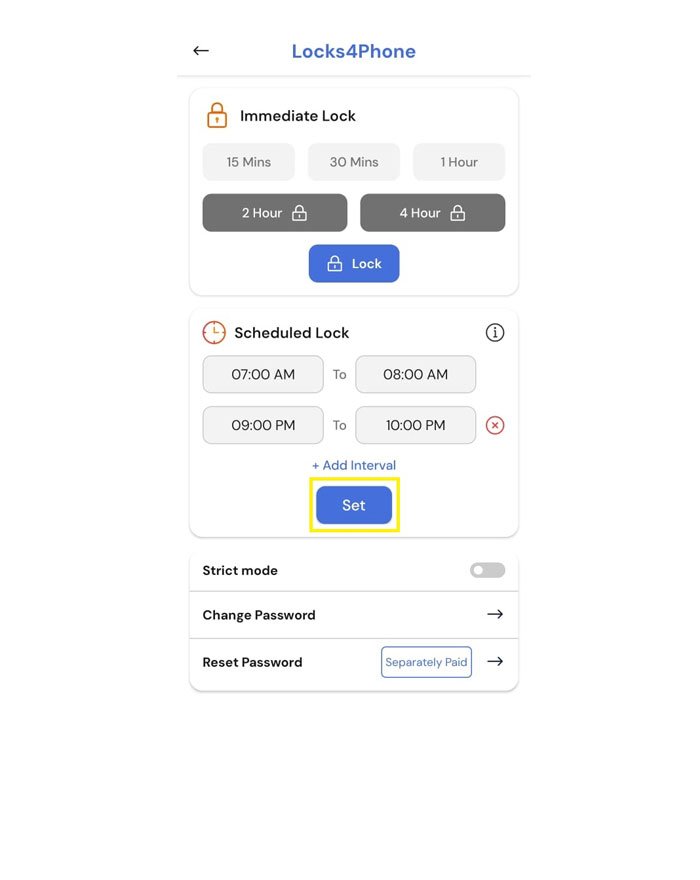
B Step 6 : Click Set
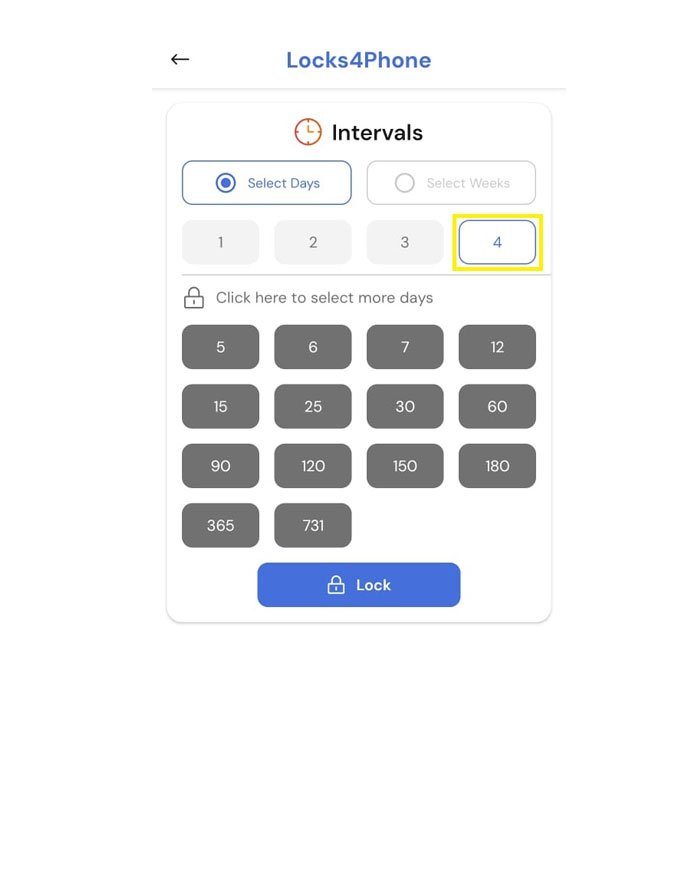
B Step 7 : Select Days
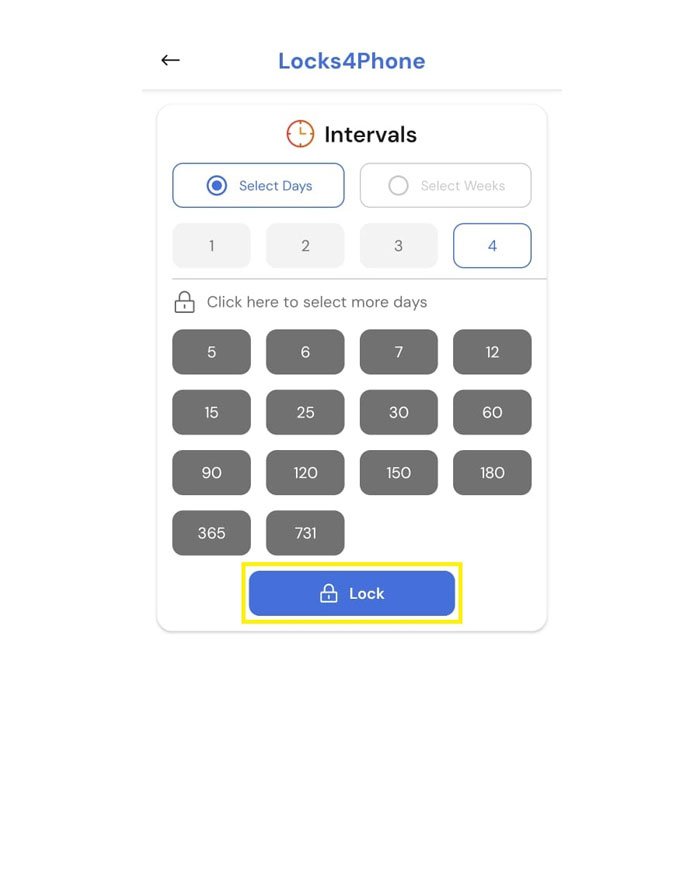
B Step 8 : Click Lock
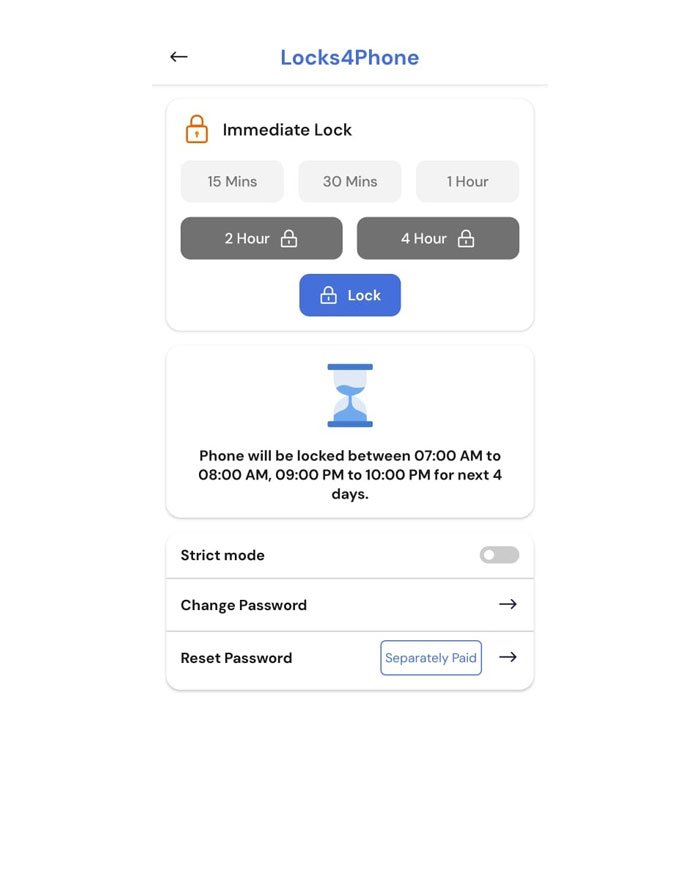
The home screen will now display your scheduled intervals. Your setup is now complete. You have successfully scheduled your lock intervals. You may now minimize or close the app and continue using your phone as usual.
In this example, your phone will be locked automatically between 7AM – 8AM and 9PM – 10PM. If you try to unlock it during these times, it will lock again immediately. However, you will still be able to receive incoming calls during this period. After 4 days, you will need to set the scheduled locks again.

All Steps
B Step 1 : Click Start Time
B Step 2 : Scroll up the chart and Set the Start Time. Then click ok
B Step 3 : Select End Time
B Step 4 : Click Add Interval
B Step 5 : Select another Start Time and End Time
B Step 6 : Click Set
B Step 7 : Select Days
B Step 8 : Click Lock
The home screen will now display your scheduled intervals. Your setup is now complete. You have successfully scheduled your lock intervals. You may now minimize or close the app and continue using your phone as usual.
In this example, your phone will be locked automatically between 7 AM–8 AM and 9 PM–10 PM. If you try to unlock it during these times, it will lock again immediately.However, you will still be able to receive incoming calls during this period. After 4 days, you will need to set the scheduled locks again.
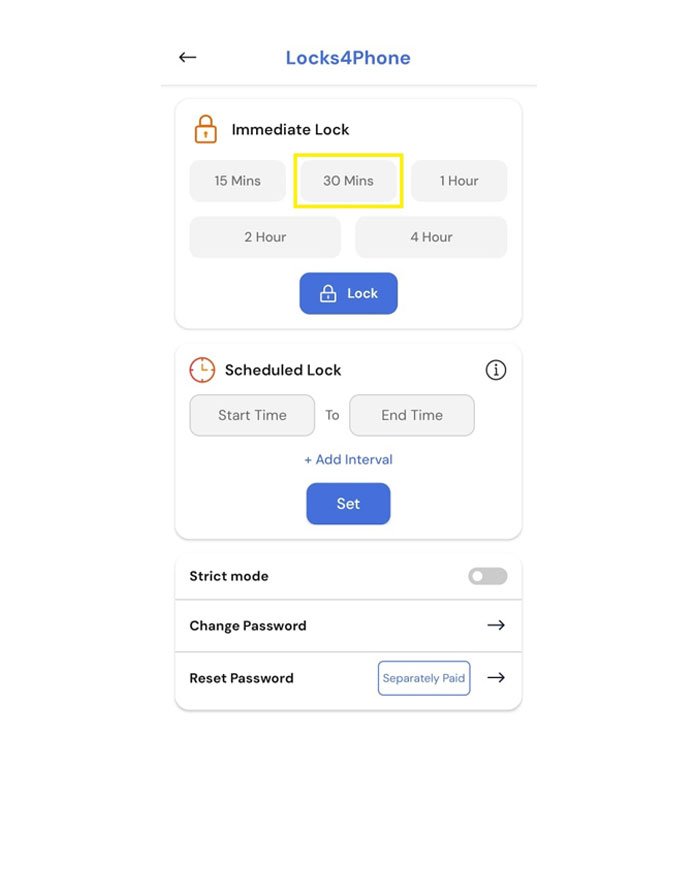
C Step 1 : Press 30 Mins
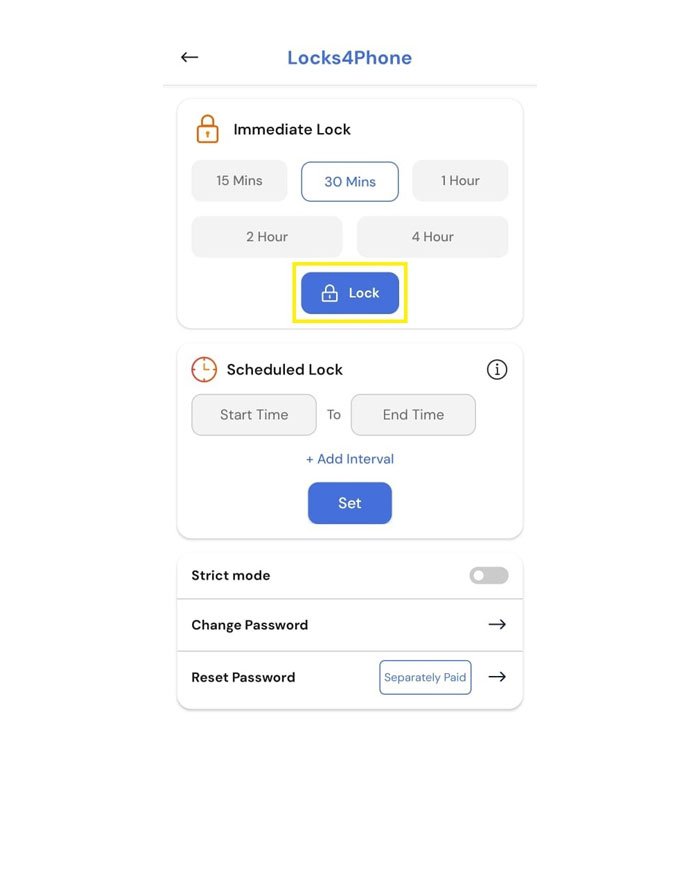
C Step 2 : Press Lock
C Step 3 : In this example, the phone will be locked immediately for the next 30 minutes. If you try to unlock it during this time, it will lock again right away. You can use your phone as usual only after the 30-minute lock duration is over. However, you will still be able to receive incoming calls during this period.

All Steps
C Step 1 : Press 30 Mins
C Step 2 : Press Lock
C Step 3 : Phone would be locked for next 30 mins.
If you try to unlock it during this time, it will lock again right away.
You can use your phone as usual only after the 30-minute lock duration is over.
However, you will still be able to receive incoming calls during this period.
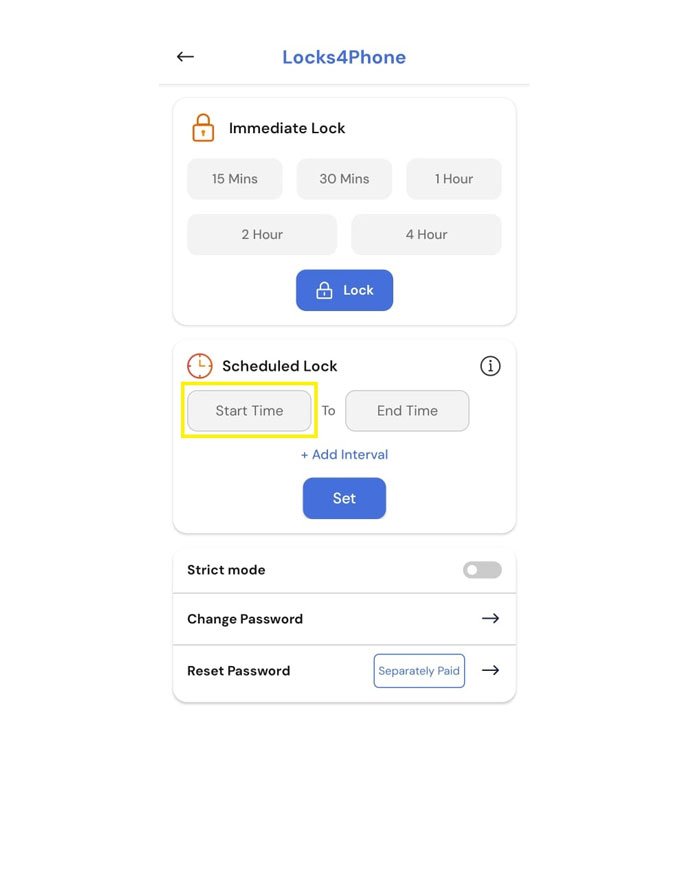
D Step 1 : Click Start Time
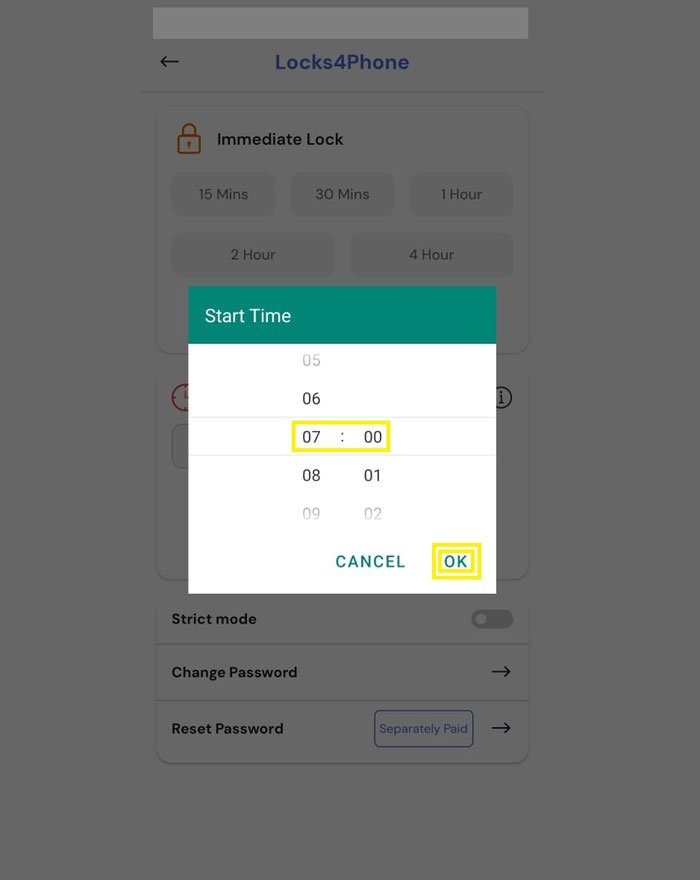
D Step 2 : Scroll up the chart and Set the Start Time. Then Click ok
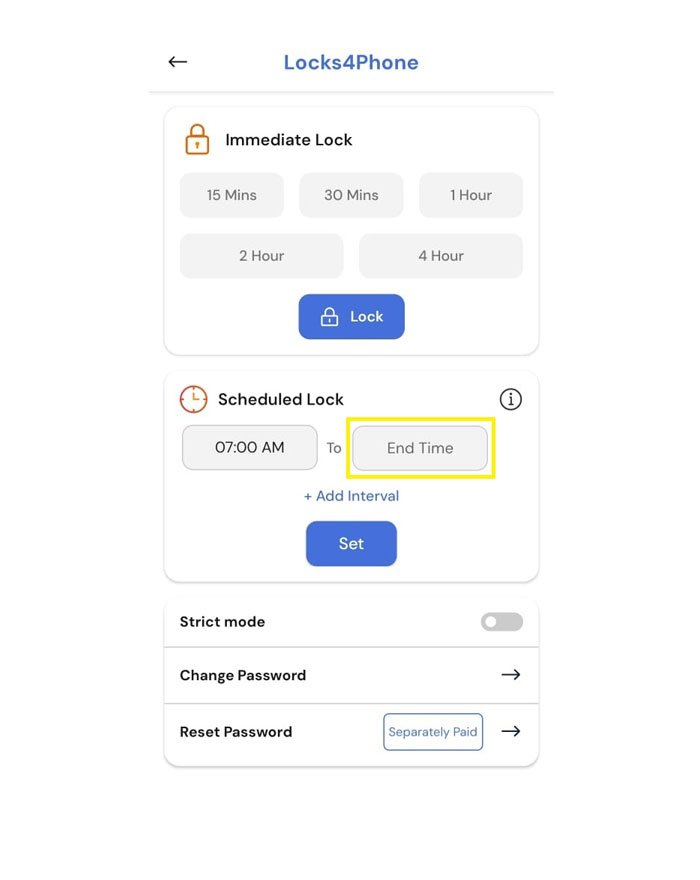
D Step 3 : Click End Time
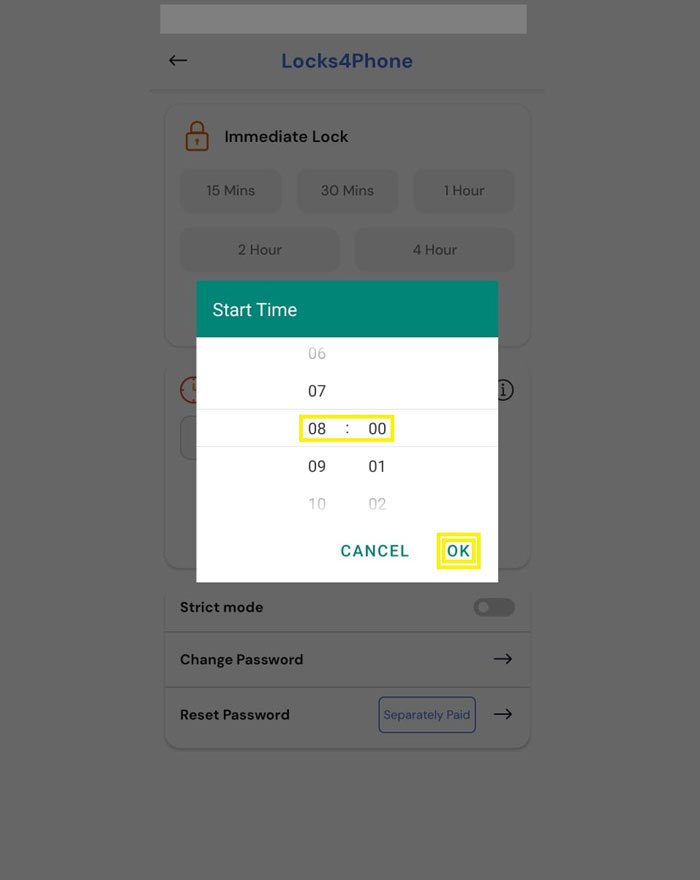
D Step 4 : Select End Time and Click Ok
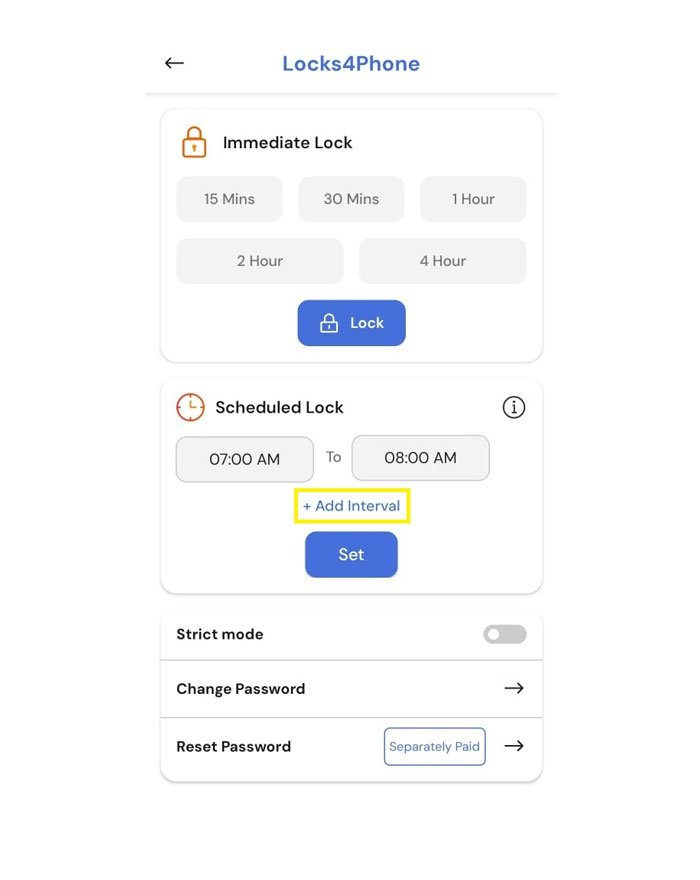
D Step 5 : Click Add Interval
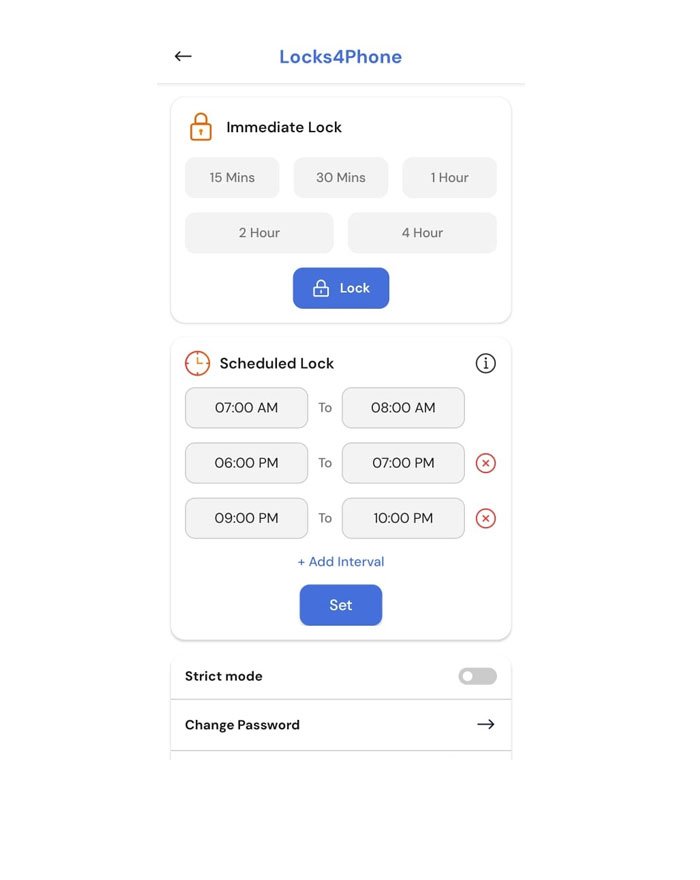
D Step 6 : Select another Start Time and End Time. Max 5 intervals can be selected
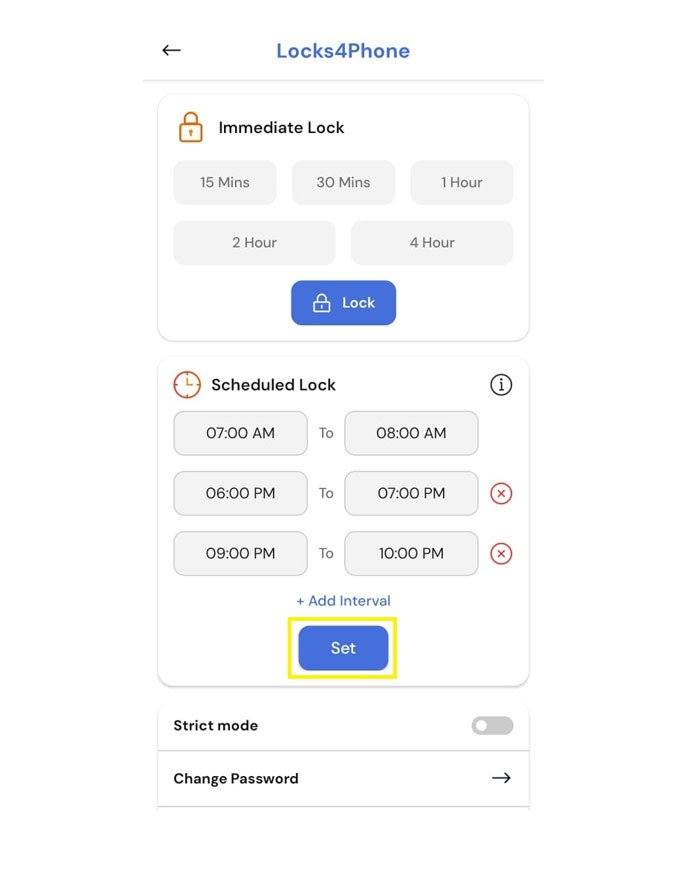
D Step 7 : Click Set
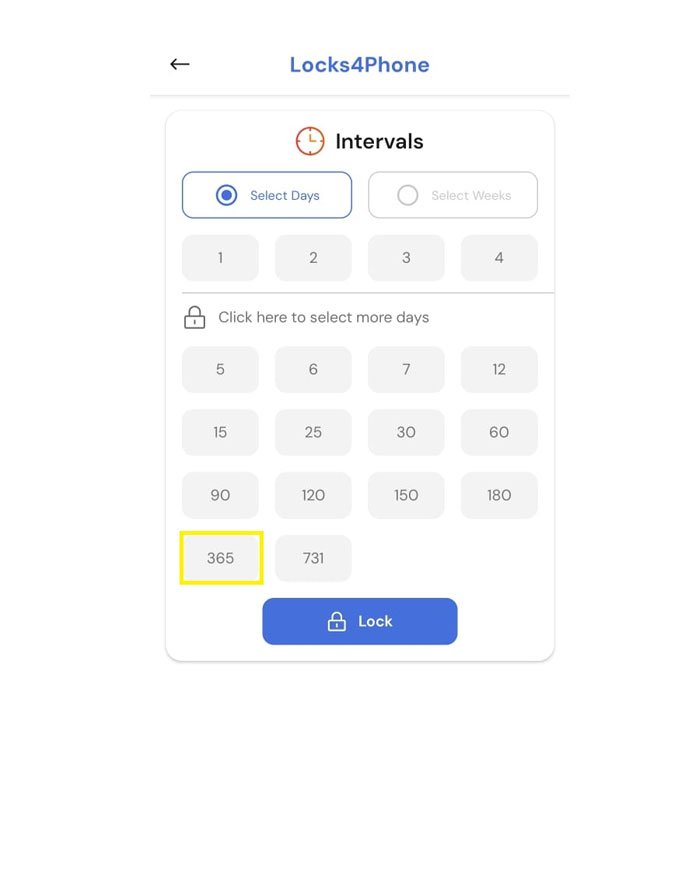
D Step 8 : Select Days
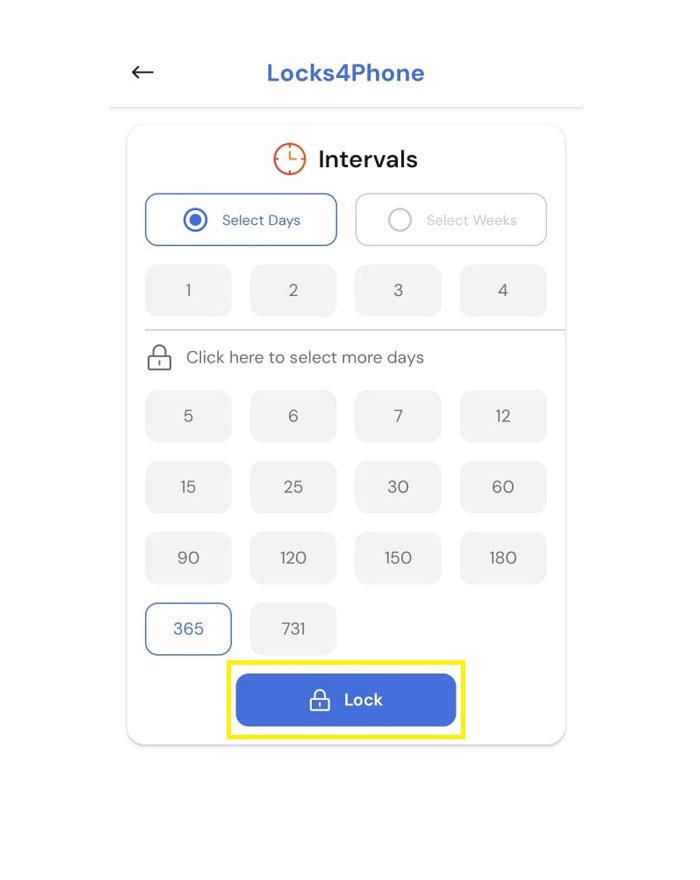
D Step 9 : Click Lock.
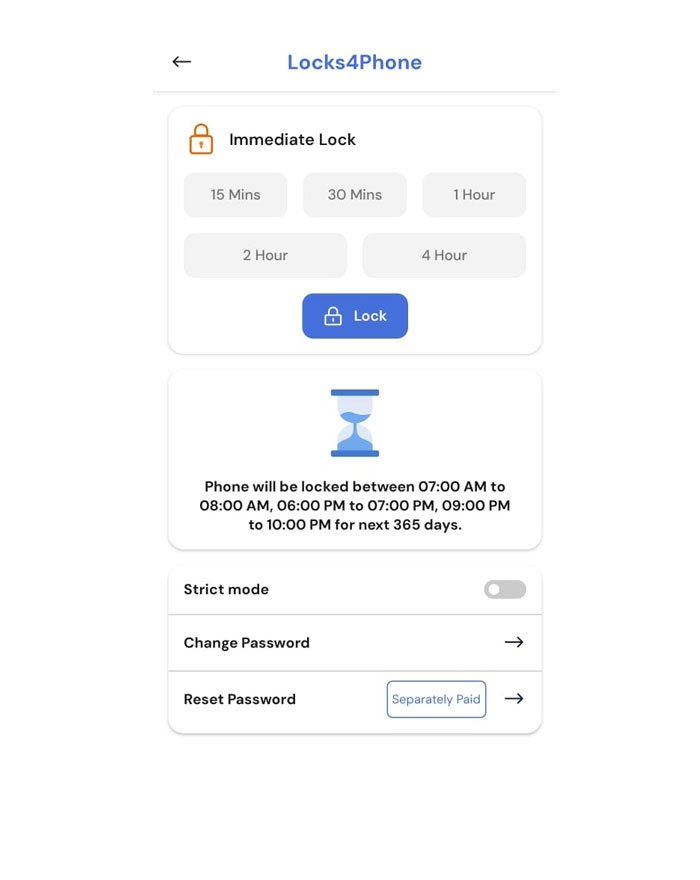
The home screen will now display your scheduled intervals. Your setup is now complete. You have successfully scheduled your lock intervals for the next 1 year in a single step. You may now minimize or close the app and continue using your phone as usual.

In this example, your phone will be automatically locked between 7 AM–8 AM, 6 PM–7 PM, and 9 PM–10 PM each day for the next 1 year. If you try to unlock it during these times, it will lock again immediately. However, you will still be able to receive incoming calls during these periods. You do not need to set the schedule again during this 1-year duration. After 365 days, you will need to set the scheduled locks again.
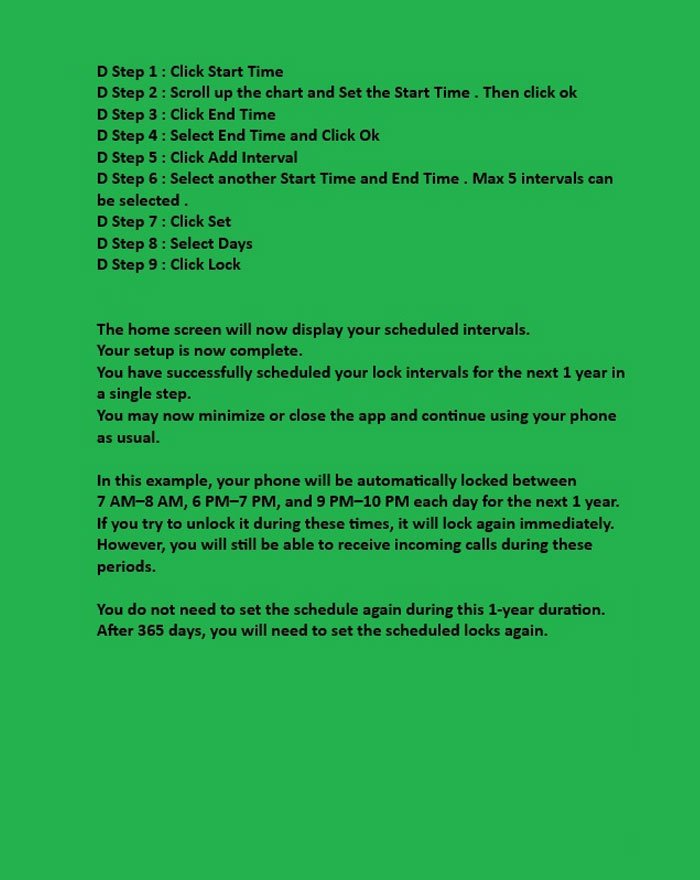
All Steps
D Step 1 : Click Start Time
D Step 2 : Scroll up the chart and Set the Start Time. Then Click ok
D Step 3 : Click End Time
D Step 4 : Select End Time and Click Ok
D Step 5 : Click Add Interval
D Step 6 : Select another Start Time and End Time. Max 5 intervals can be selected
D Step 7 : Click Set
D Step 8 : Select Days
D Step 9 : Click Lock
The home screen will now display your scheduled intervals. Your setup is now complete. You have successfully scheduled your lock intervals for the next 1 year in a single step. You may now minimize or close the app and continue using your phone as usual.
In this example, your phone will be automatically locked between 7 AM–8 AM, 6 PM–7 PM, and 9 PM–10 PM each day for the next 1 year.
If you try to unlock it during these times, it will lock again immediately.
However, you will still be able to receive incoming calls during these periods.
You do not need to set the schedule again during this 1-year duration.
After 365 days, you will need to set the scheduled locks again.
✅ Before You Purchase the Subscription (Please Read Carefully)
To ensure a smooth and safe purchase experience, please make sure:
- To keep your email ID and password ready — Play Store may ask you to confirm
you are using a Google Account that’s 18+.
No hidden charges
At Locks4phone, your ₹399 subscription is one-time for 1 year, with no platform fees, no maintenance fees, and tax included.
About the Free Version (Trial Mode)
Trial version is free and available for lifetime. It includes scheduled locks (limited days), basic features, and ads. For most users, the free trial version is more than enough, just follow 2 or 3Hr Structured Plan. You’ll quickly notice big improvements in your focus, routine, and mindset. Scheduled Locks are star feature. Scheduled Locks build habits, discipline, and confidence. Every week just set it for 4 days on Monday morning and for 3 days on Friday morning. You can use it forever — but Premium gives you a full experience with more options, no ads, and Immediate Locks.
🎁 What You Get with Premium (Valid for 1 Year):
Immediate Locks — No ads (cleaner, safer experience)
Longer and higher-tier Structured Plans.
Can select 180 or 365-days at once with no interruptions.
Ensures you wont miss any days in between for next 180 or 365 days.
✅ Premium isn’t just an upgrade — it’s a commitment to your goals.
🤝 We Respect Your Privacy
We do not collect personal data, and your subscription is securely handled by Google Play.
Buying Premium isn’t just a payment — It’s a powerful signal to your brain:
This matters. I’m serious now.
That’s when your mind begins to trust, adapt, and incorporate the app’s discipline into your life - exactly as it was designed to do.
You’ve been distracted long enough. Now it’s time to take back your time - and prove to yourself that you’re in charge.
Make one strong decision — and let that change everything.
This isn’t just an upgrade - It’s your first real step toward discipline, control, and a better future.